Tracking DBE, MBE, and WBE Participation
Plenty of lettings require a share of the work to go to certified DBE, MBE, and WBE vendors. The Participation panel on the Analyze tab measures your certified-vendor dollars against the goals a letting sets, so you can confirm you hit them before you submit.
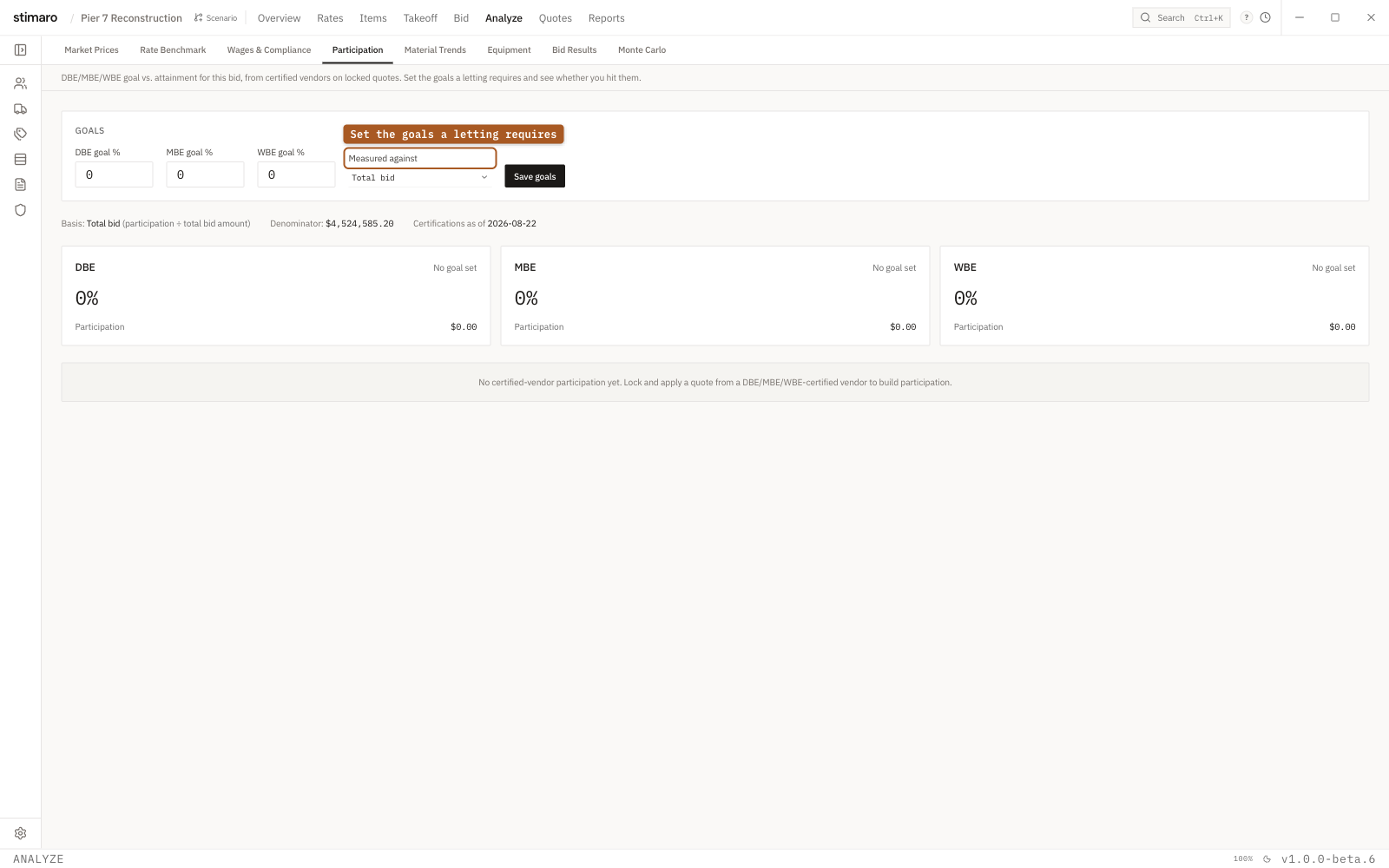
Participation panel. Set the DBE, MBE, and WBE goals a letting requires, and Stimaro measures your certified-vendor dollars against them.What the panel measures
Open it with Analyze → Participation. Its subtitle states what it tracks: "DBE/MBE/WBE goal vs. attainment for this bid, from certified vendors on locked quotes. Set the goals a letting requires and see whether you hit them."
Participation is counted only from certified vendors on locked, applied quotes. A quote that isn't locked and applied, or a vendor that isn't certified, doesn't contribute to your attainment — so the number reflects the participation you can actually stand behind at submission.
Setting your goals
A Goals editor is where you enter what the letting requires. It has:
DBE goal %,MBE goal %, andWBE goal %— the target for each program, from 0 to 100.- A
Measured againstselector — see below. - A
Save goalsbutton to store them with the project.
Measured against: total bid or subcontracted work
The Measured against selector controls the denominator your attainment is calculated on:
Total bid— participation as a share of your full bid.Subcontracted work— participation divided by your Material, Subcontract, and Other dollars. Use this when a letting states its goal against subcontracted dollars rather than the whole bid.
Match this to how the letting expresses its goal, or the attainment percentage won't be comparable to the requirement.
The attainment cards
Each program gets its own attainment card. A card shows:
- The attainment percentage for that program.
- The goal —
Goal X%, orNo goal setif you haven't entered one. - A
Metpill if you've hit the goal, or aShort X%pill showing how far under you are. - A progress bar toward the goal.
- The participation dollars and the goal-target dollars behind the percentages.
The certified vendor participation table
A Certified vendor participation table breaks the attainment down by vendor:
| Column | What it shows |
|---|---|
Type | The certification program the vendor counts toward (DBE, MBE, or WBE). |
Vendor | The certified vendor supplying the quoted work. |
Certified through | The certifying body the vendor's certification comes through. |
Participation | The dollars from this vendor that count toward your attainment. |
Using it before you submit
Enter the letting's DBE, MBE, and WBE goals, set Measured against to match how the requirement is stated, and save. Then read the cards: a Met pill on each program means your certified-vendor dollars clear the requirement. A Short X% pill tells you exactly how far you have to go — and the vendor table shows which certified quotes you'd need to lock, or which vendors you'd need to certify, to get there before you submit.