Working with Scenarios
Sometimes you want to try something risky on a bid without risking the bid. A scenario forks the whole estimate into a what-if you can explore freely, compare against the base, and then merge back or throw away.
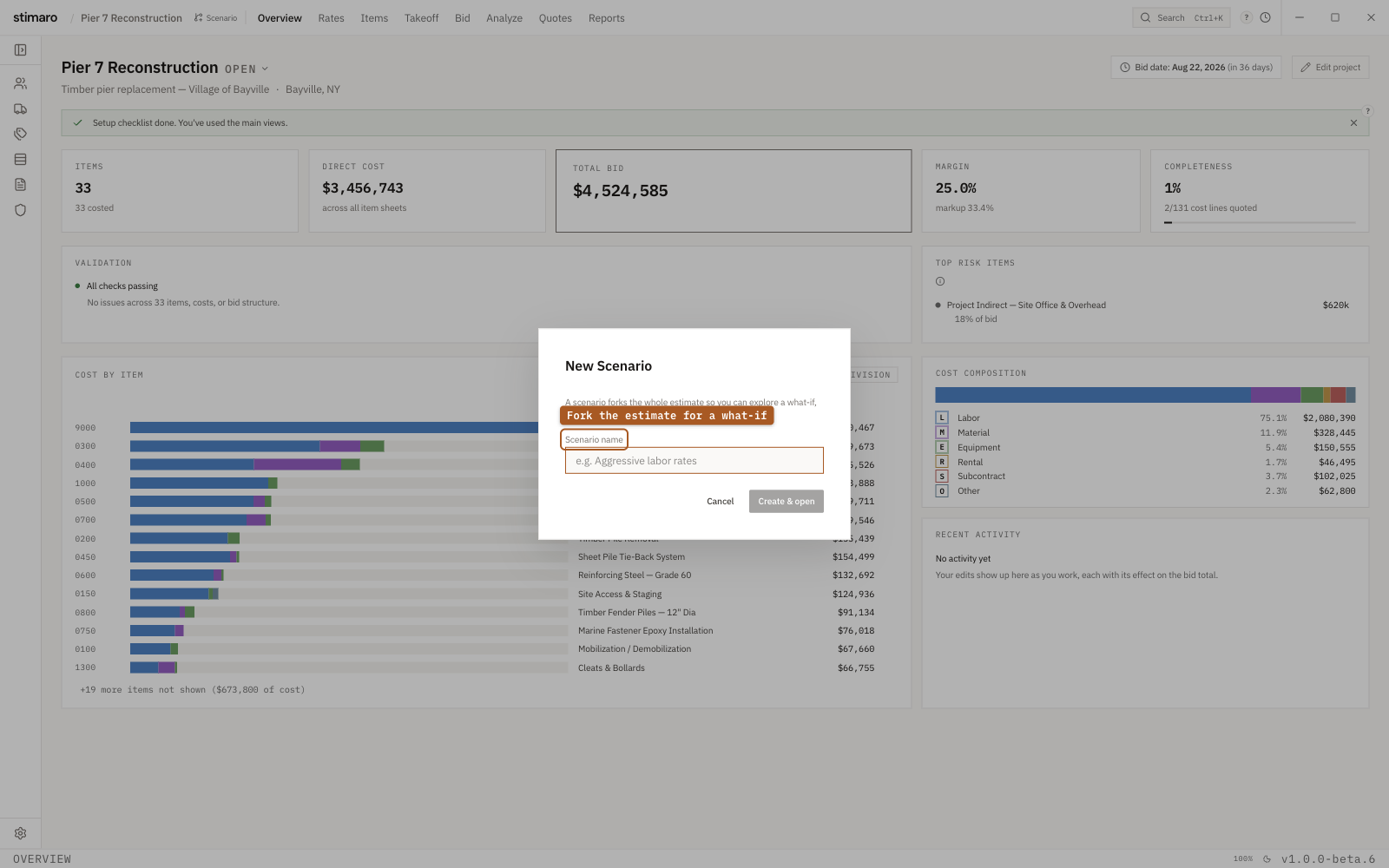
Create & open forks the whole estimate into an independent working copy you can compare against the base and merge later.What a scenario is
A scenario forks the entire estimate so you can explore a what-if, compare it against the base, and then merge or discard it. The base and a scenario are independent working copies — items, rates, bid, and markup all fork — and changes made in one only cross back into the other through an explicit merge. Nothing you do inside a scenario touches your base until you decide to bring it over.
That's what makes a scenario safe to experiment in: you can try aggressive labor rates, a different markup, or an alternate approach to the work without disturbing the base bid you're actually planning to submit.
Creating a scenario
When scenarios exist, the top bar shows a Base label with a branch icon, so you can always see which copy you're working in. To create a scenario, click the Scenario button in the top bar (its tooltip reads New scenario).
That opens the New Scenario dialog:
- Enter a
Scenario name— the field placeholder ise.g. Aggressive labor rates, and the name can be up to 60 characters. - Click
Create & open, orCancelto back out.
Creating a scenario switches you into it immediately, so you're editing the fork rather than the base from that point on.
Switching between base and scenarios
You move between the base and any scenario from the top bar. Because each is an independent copy, switching changes which working set of items, rates, bid, and markup you see and edit.
Comparing a scenario against the base
On the Bid tab, a Compare button diffs the active scenario against the base and shows the result read-only. That's how you see exactly what changed — which numbers the what-if moved — before you decide whether the scenario is worth keeping.
Merging or discarding
Once you've compared and the scenario looks right, you merge it back into the base, bringing its changes across. If the what-if didn't pan out, you delete it instead. Deleting asks you to confirm — "Delete this scenario? This action cannot be undone." — because a discarded scenario can't be recovered.