Auto-Balancing Your Bid
Edit unit prices by hand and your bid rows stop adding up to the total your markup produces. Auto-balance re-spreads that drift back across the line items in one click, so the Actual Bid lands on the Balanced Bid again. For why a bid drifts out of balance in the first place, see Bid balancing and how it works.
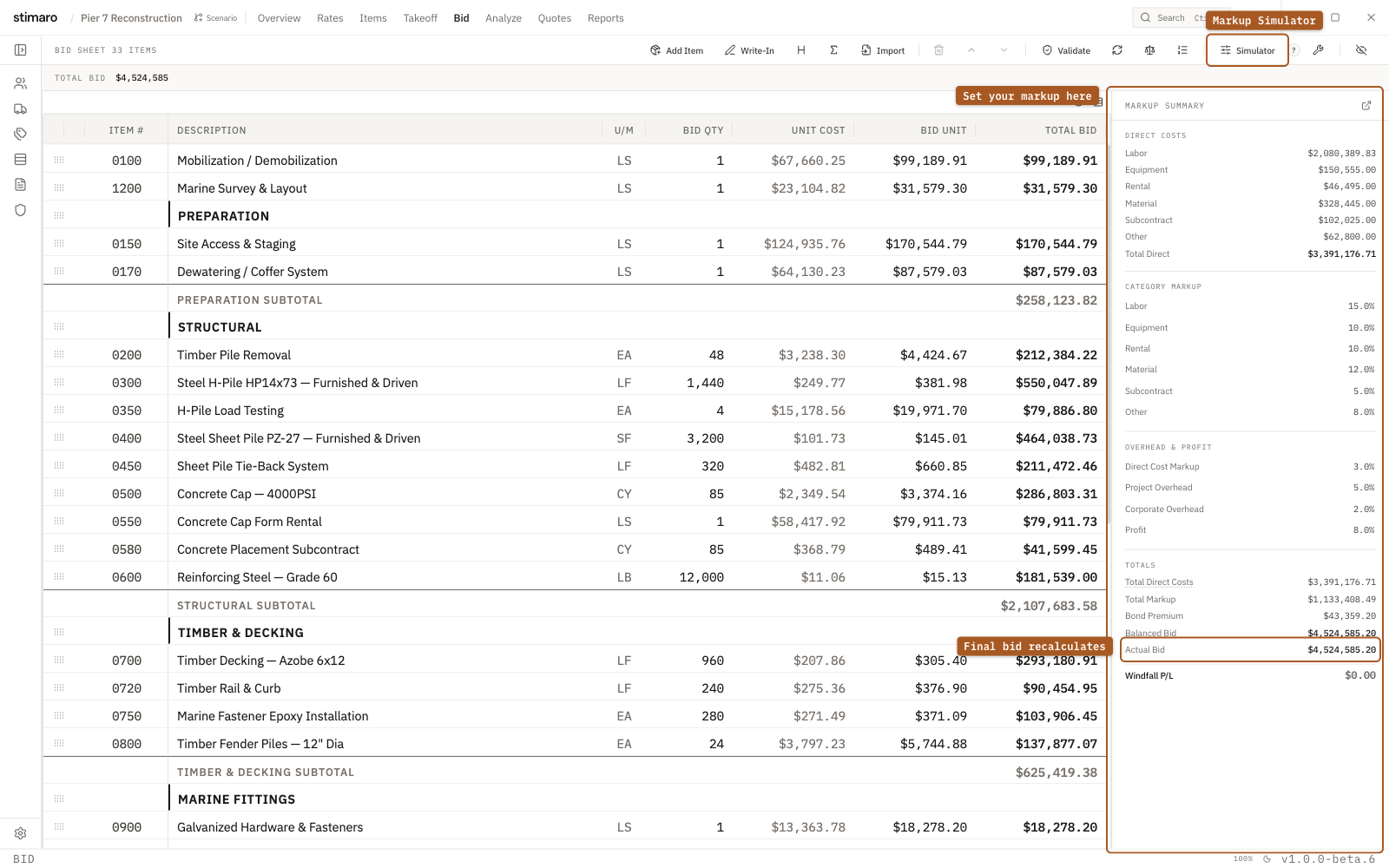
Balanced Bid is the correct total from cost and markup; Actual Bid is your unit prices as entered; the gap between them is what auto-balance closes.Two totals in the Markup panel
The Bid tab carries two totals in the Markup panel, and they answer different questions:
- Balanced Bid — the mathematically correct total from your cost plus markup. It's the target number your markup settings produce.
- Actual Bid — the sum of your bid rows' unit prices, including any you've edited by hand. It's what the rows actually add up to.
The gap between them is shown as Windfall P/L — the Actual Bid minus the Balanced Bid. It reads green when positive, red when negative, and a neutral $0.00 when the two totals agree within a half-cent. A Windfall P/L that shows as non-zero — a gap beyond that half-cent tolerance — is the signal that your hand-edited rows no longer sum to the balanced target.
What the Auto-balance button does
The Auto-balance bid units button — the scale icon in the Bid toolbar — closes that gap. It re-spreads the difference back across your eligible base line items so the Actual Bid lands on the Balanced Bid again. Your bottom line doesn't move: the Balanced Bid target the markup produces stays exactly where it is, and only the individual unit prices underneath it change.
The difference is spread weighted by each row's total, so larger rows absorb more of the adjustment than small ones. The spread will not drive any row below zero, and every unit price it touches becomes a manual override on that row.
Which rows are eligible
Auto-balance only adjusts rows it can safely change. A row is eligible when all of these are true:
- It's a base item row — not an alternate.
- It's not locked.
- It's not fixed-price.
- Its bid quantity is above zero.
Rows that fail any of these are left untouched, and the difference is distributed only across the rows that qualify.
When it does nothing
If the bid is already balanced — the Actual Bid and Balanced Bid already agree — Auto-balance has nothing to reconcile and makes no changes. If none of your rows are eligible, it can't spread the difference anywhere and warns No rows are eligible to balance. instead of changing prices.
When to use it
Reach for Auto-balance after you've been working the line prices directly — editing unit prices by hand, or moving money between bid items — and the Actual Bid has drifted away from the Balanced Bid. One click pulls the rows back into agreement with your final markup. The action is undoable, so you can run it, look at the result, and step back if you'd rather keep your manual prices.
Balanced Bid target moves again and the rows drift back out — so balance again once the markup is final.