Understanding Cost Libraries in Stimaro
This article explains how cost data is organized in Stimaro — how rates, items, resources, and the bid relate to one another. Understanding this structure makes every other part of the app easier, because you'll know where each piece of information lives and how it flows into your final bid.
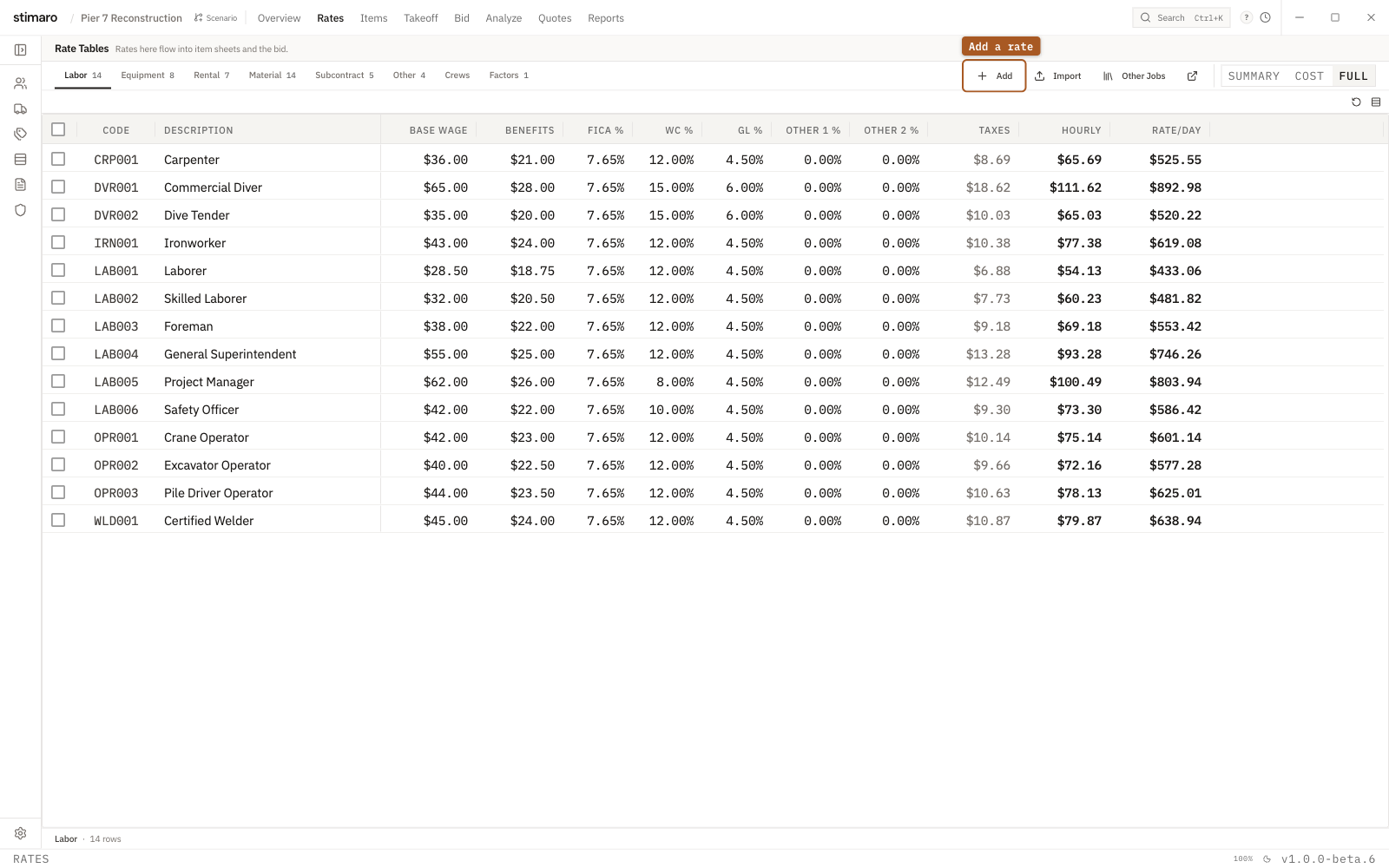
Rates tab. Labor, Equipment, Rental, Material, Subcontract, and Other each get their own table, and every rate flows into your item sheets and the bid.The big picture: four layers
Stimaro organizes estimating into four connected layers, each building on the one below it:
- Rates — the unit costs of your inputs (a laborer's loaded hourly rate, an excavator's daily rate, a ton of stone)
- Resources — those rates applied to a specific piece of work, with a quantity
- Items — a unit of scope, built up from its resources
- The bid — all your items rolled together, marked up into a price
Information flows upward. Set a rate once, use it across many items; build items once, pull them onto the bid. Change something low in the stack and it cascades upward. That's the whole idea: enter each piece of truth once, in one place, and let it flow everywhere it's needed.
Layer 1: Rates — your cost building blocks
Rates are the foundation. A rate is the cost of one unit of an input:
- A labor rate is the fully loaded cost of one hour (or day) of a worker or crew — base wage plus burden (taxes, insurance, benefits).
- An equipment rate is the cost of one day (or hour) of a machine — whether owned (built up from fuel, repairs, insurance, ownership) or rented (the vendor's rate).
- A material rate is the cost of one unit of a material — a ton of riprap, a linear foot of sheet pile, a cubic yard of concrete.
Rates live in the Rates tab, organized by category (Labor, Equipment, Rental, Material, Subcontract, Other, plus Crews, Factors, and Fuel). You set them up once per project, and every item that uses them pulls from the same source. Update a rate, and every item using it updates too.
This is the single most important habit in Stimaro: put your real costs into rates, accurately, before you build items. Everything above this layer is only as good as the rates beneath it.
Layer 2: Resources — rates applied to work
A resource is a rate put to work on a specific item, with a quantity and an optional factor. "Drive sheet pile" isn't just a labor rate — it's this crew, for this many days, at this rate, plus this rig, for this many days, plus this much steel.
Each resource line is: quantity × factor × rate = line cost. Stack several resource lines together — the crew, the rig, the material, maybe a subcontractor — and you've described what it actually takes to do that piece of work.
This is what makes Stimaro's estimating "built-up" rather than flat. Instead of typing "$520 per linear foot" as a guess, you build that number from its real parts. When someone asks why it costs what it costs, you can show them.
Layer 3: Items — units of scope
An item is a discrete piece of the project — "furnish and drive steel sheet pile," "demo existing bulkhead," "concrete cap." Each item carries its own resources, and the resources sum into the item's total cost. Divide that by the item's quantity, and you get a unit cost.
Items live in the Items tab. They're reusable building blocks: a well-built "drive sheet pile" item can be pulled into any bulkhead bid you ever do, adjusting only the quantity. Over time, your library of items becomes a record of how your company actually prices its work — institutional knowledge that doesn't walk out the door when an estimator leaves.
Layer 4: The bid — items rolled into a price
The bid is where your items come together into a proposal. You link priced items onto the bid sheet, organize them into sections, and apply markup — category markup, overhead, and profit — to turn your direct cost into the number you submit.
The bid is the top of the stack. It reflects everything beneath it: change a rate, and the resource updates, which updates the item, which updates the bid. One source of truth, flowing all the way up.
Why this structure matters
You could estimate in a spreadsheet, typing numbers directly into a bid. Many contractors do. The problem is that a spreadsheet flattens everything — the rate, the resource, the item, and the bid all become the same cell, and the reasoning behind each number lives only in the estimator's head.
Stimaro's layered structure keeps the reasoning visible and the data connected. When your fuel costs jump, you change one equipment rate and every affected bid updates. When you win a job and want to reuse the pricing, the items are already built. When a new estimator joins, the library shows them how your company prices work. And when a customer challenges a number, you can trace it all the way down to the crew, the machine, and the material that produced it.
That traceability — from final bid price down to the individual cost of a single resource — is the core of what Stimaro does. The four layers are how it gets there.