Reviewing Your Bid Results
The real test of your markup is whether you win work at a price that still pays. The Bid Results panel on the Analyze tab keeps your win/loss record across every project and shows how your pricing stacks up against the competition. Log each outcome as lettings are decided, and over time the record tells you whether your markup is set right.
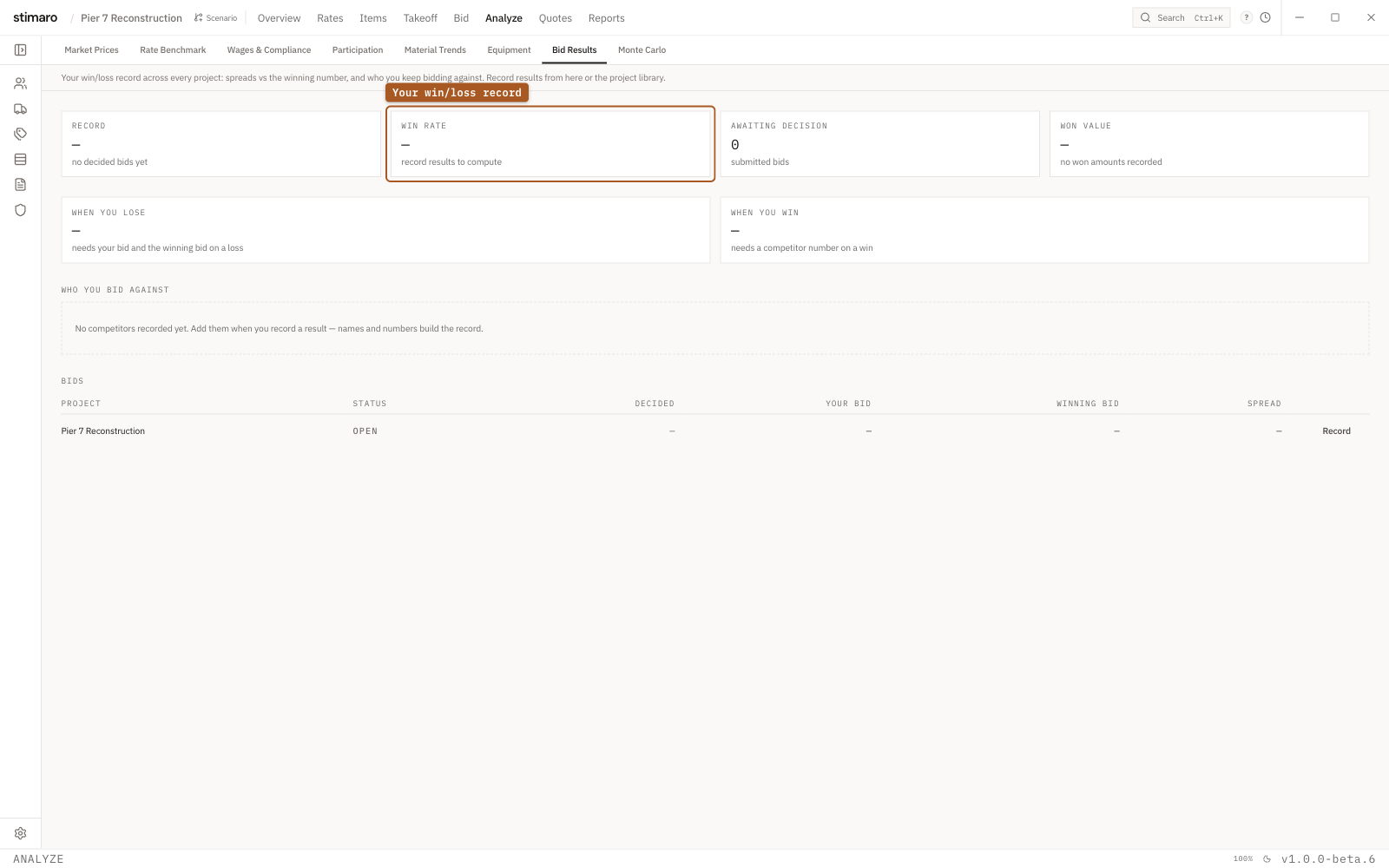
Bid Results panel. Your win/loss record, how you price against competitors, and a per-bid log you fill in with the Record button.What the panel shows
Open it with Analyze → Bid Results. Its subtitle is short: "Your win/loss record across every project." The panel pulls cross-project historical win/loss data, so it reads across your whole bid history rather than a single job.
Throughout the panel, a dash means the outcome was never recorded — not that the value is zero. If a figure reads as a dash, it's missing data, and logging the result will fill it in.
The stat cards
Four cards summarize your record:
| Card | What it shows |
|---|---|
Record | Your won–lost tally. |
Win rate | Your win rate, measured across the decided bids. |
Awaiting decision | Bids you've submitted that haven't been decided yet. |
Won value | The total value of the bids you won. |
The spread cards
Two cards describe how far off you tend to be, and in which direction:
When you lose— the median percentage you came in over the winner on the bids you lost.When you win— the median percentage you left on the table versus the next bid on the ones you won.
Together they frame the same question from both sides: when you're too high you can see by how much, and when you win you can see how much room you had. Both feed directly into where you set markup.
Who you bid against
A Who you bid against table profiles your competitors:
| Column | What it shows |
|---|---|
Bidder | The competitor. |
Met | How many times you've bid against them. |
They won | How many of those the competitor won. |
Avg vs you | The average of how their bid compares to yours. Negative means they typically come in under you. |
The Bids table
A Bids table lists the individual results behind the stats:
| Column | What it shows |
|---|---|
Project | The project the bid was for. |
Status | Won or Lost. |
Decided | The date the outcome was decided. |
Your bid | The number you submitted. |
Winning bid | The bid that won. |
Spread | The gap between your bid and the winning bid. |
Record / Edit | An action to log an outcome, or edit one you've already recorded. |
Use the Record action to log a result as soon as a letting is decided, and Edit to correct one. The more outcomes you record, the fewer dashes you'll see and the more the win rate and spread figures can tell you.
Using it to calibrate markup
Bid Results is a feedback loop for your pricing. A low win rate paired with a large When you lose spread says you're leaving margin unused — you're consistently high. A high win rate with a wide When you win spread says the opposite: you may be able to carry more markup without losing work. Read alongside Who you bid against, it shows which competitors keep undercutting you and by how much, so you can calibrate markup against the field you actually face rather than a guess.