Bidding Alternates and Allowances
This article explains how to work with alternates — assigning bid items to alternate groups so their dollars pull in or out of the base bid, and how those groups appear in the client report you hand the owner.
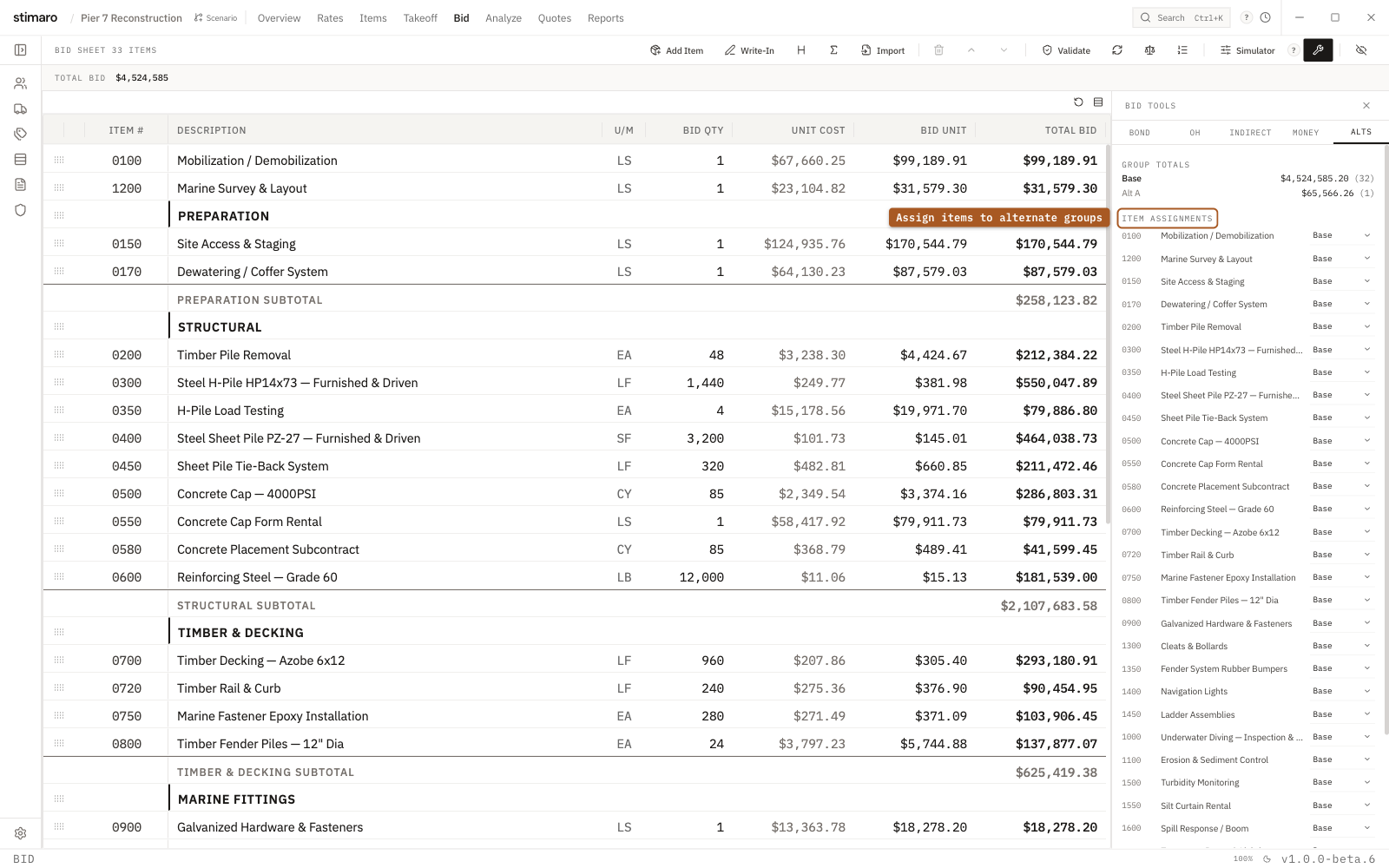
Alts tab. Assign each item to Base or Alt A–Alt H; the group totals show the base bid and each alternate package.Opening the Alts tab
Open the Bid tab and click the wrench button in the toolbar (its tooltip reads Bond, overhead, move money tools). This opens the Bid Tools panel. Select its Alts tab.
What an alternate is
An alternate is a group you assign a bid line item to. The groups are Base and Alt A through Alt H. Base is the base bid — the number the owner treats as your bottom line. Assigning an item to Alt A–Alt H pulls it out of the base bid total and into that alternate package, where it's priced separately from the base.
That's how a bid carries optional scope: the base covers the work that's definitely in, and each alternate holds a chunk of scope the owner can accept or decline on its own without re-pricing the base.
The two sections on the Alts tab
The Alts tab has two parts:
- Group Totals — one row for each group that has items, showing the group's label, its total, and how many items it holds. Groups with no items assigned don't appear here.
- Item Assignments — every item row in the bid, each with an
Alternate groupdropdown.
To move an item, change its group in the Alternate group dropdown. Sending an item from Base into an alternate pulls its dollars out of the base total; moving it back to Base folds them in again. The Group Totals above update to match.
The Alternates & Allowances report
Your alternates surface in the Alternates & Allowances report, a client template you can hand to the owner. Its columns are:
| Column | What it shows |
|---|---|
# | The alternate's number. |
Alternate | The group label. |
Items | How many items the alternate holds. |
Price | The alternate's total price. |
Status | Active or Inactive. |
Below the columns, the report shows a Base Bid + Active Alternates total, followed by this note: "Alternates marked Active are included in the grand total above. Inactive alternates are available for client selection and will be added to the base bid only upon acceptance."